Add or update a family
Register a new family or update an existing family file.
Open Social Research → Aid Applications → Add/Update Family.
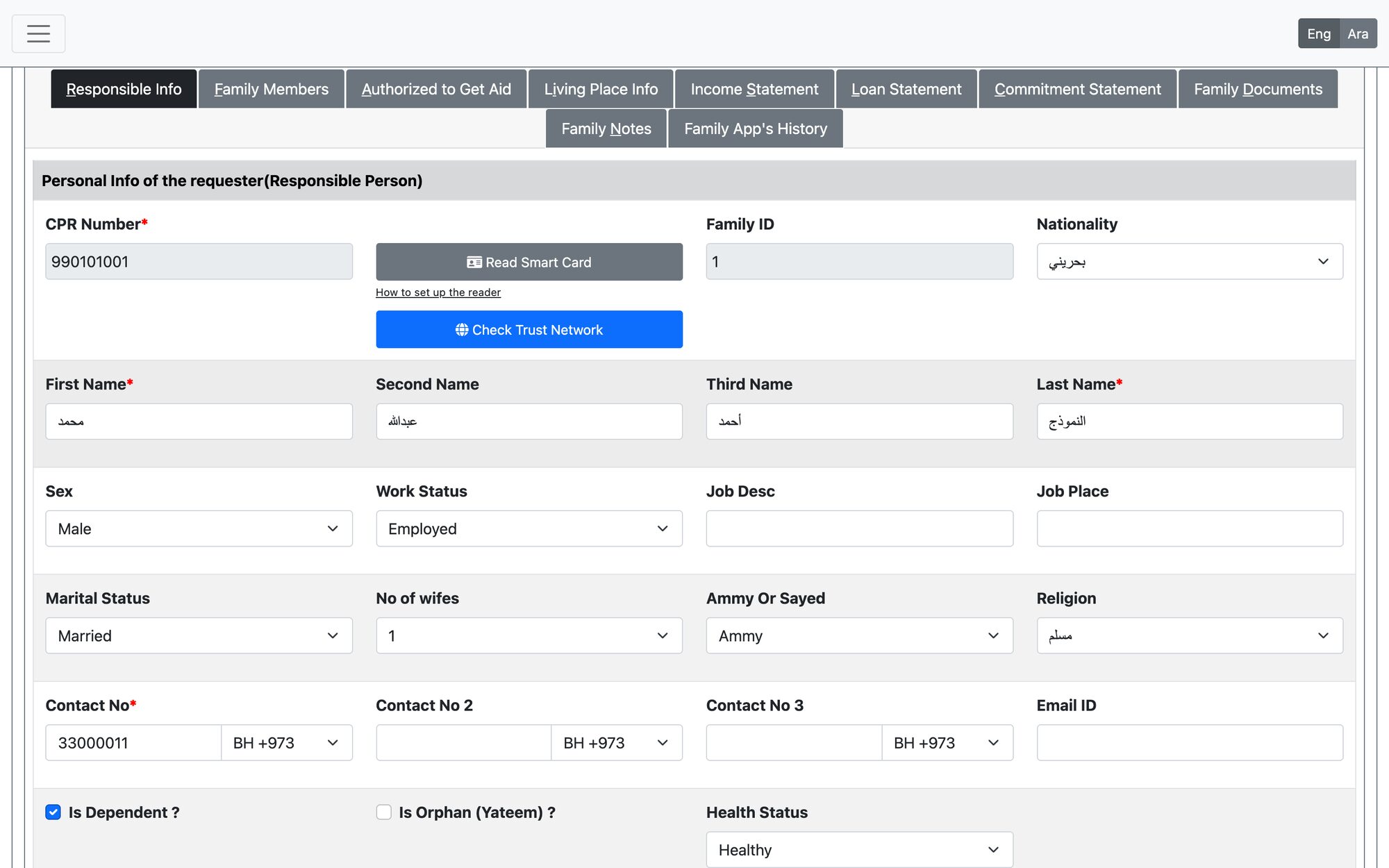
Steps
- Enter the head of family’s CPR (9 digits) and move to the next field. If the family is not registered, the system shows “Family not registered. A new family will be added”.
- Optionally press Read Smart Card to fill the head of family’s details from the ID card, or Check Trust Network to see whether the family is registered with a linked society (needs the society network check permission).
- Complete the head of family details: first and last name, at least one contact number, nationality, gender, marital and work status.
- Fill the other tabs as needed (see the table below).
- Press Finish & Save.
Family file tabs
| Tab | What it holds |
|---|---|
| Responsible Info | Head of family details and the Read Smart Card button |
| Family Members | Each member, relation, education and health status |
| Authorized to Get Aid | Who receives the aid: bank name, IBAN and name as per bank |
| Living Place Info | Address, home type, devices, furniture and properties |
| Income / Loan / Commitment Statement | Monthly income, loans and commitments — used to calculate per-capita income |
| Family Documents | Required and supporting documents |
| Family Notes | The researcher’s notes on the family |
Rules the system checks
- CPR must be 9 digits; first name, last name and one contact number are required.
- A person already registered as a dependent cannot be added as a head of family.
- The block number should be within the society’s block list.
- Changing the family type or per-capita income asks for a reason, and the change history is kept.
- A family can be marked as not wishing to receive certain aid types.
The smart card reader needs the reader software installed on your computer. Use the “How to set up the reader” link under the button, or contact support.
Updated: