Chatbot on WhatsApp
Configure the WhatsApp menu, the chatbot settings, the AI assistant and its knowledge base.
The Chatbot tab configures the automatic assistant that answers people on the society’s WhatsApp number. Its pages are under Chatbot → Management, Chatbot → Configuration and Chatbot → AI. At-a-glance chatbot numbers appear as widgets on the main Dashboard.
| Menu item | What it does |
|---|---|
| Menu Configuration | Build the WhatsApp menu as a tree: add child items, duplicate, drag to reorder, set the language and priority, and switch items on or off. |
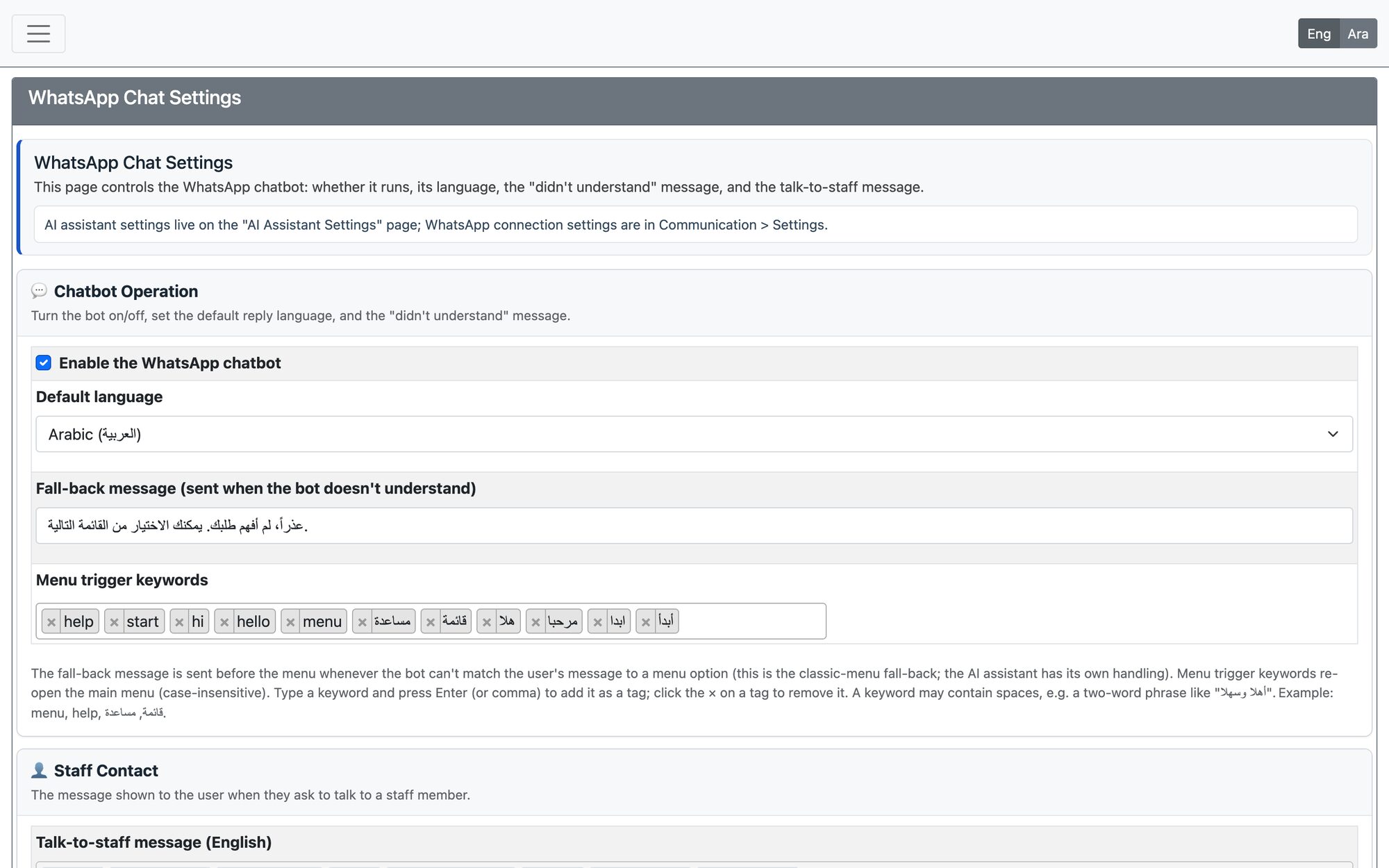
| Settings | Enable the WhatsApp chatbot, the default language (Arabic or English), the fall-back message sent when the bot does not understand, the keywords that re-open the main menu, and the message shown when someone asks to talk to staff (Arabic and English) plus the notice the staff member receives. |
| AI Settings | Control the AI assistant: enable it, Shadow mode (analyse only, no replies), Live-test mode (replies only to listed test phones), the emergency Kill switch, the provider and model, the daily message limit and the API keys. |
| Knowledge Base | The approved answers the AI may use. Add an item manually or import it from a link or file, let the AI tidy it, review it and activate it. The assistant answers only from active content. |
| AI Tools | The skills the assistant may use, grouped by area (public information, applications, donations, membership, support…), and which types of user can use each. Higher-risk skills are locked. |
| AI Logs | The AI conversation center: follow what the assistant understood and did on WhatsApp, with the items that need attention. |
Recommended rollout for the AI assistant
- Choose the provider, enter the API key and save, then enable the assistant.
- Keep Shadow mode on first to watch what it would answer.
- Switch on Live-test mode with a few test phone numbers (full number with country code, no + or spaces).
- Turn on webhook protection and Background mode before widening the rollout.
The chatbot sends through the society’s WhatsApp connection, so its connection and sending limits are managed in Communication System Settings.
Updated: