Bank accounts, GL accounts and ledger maintenance
Set up bank accounts, quick entries and GL accounts, close periods, import journal entries and re-print cheques.
The setup screens are under Banking & General Ledger → Maintenance and are normally used by the accountant or administrator.
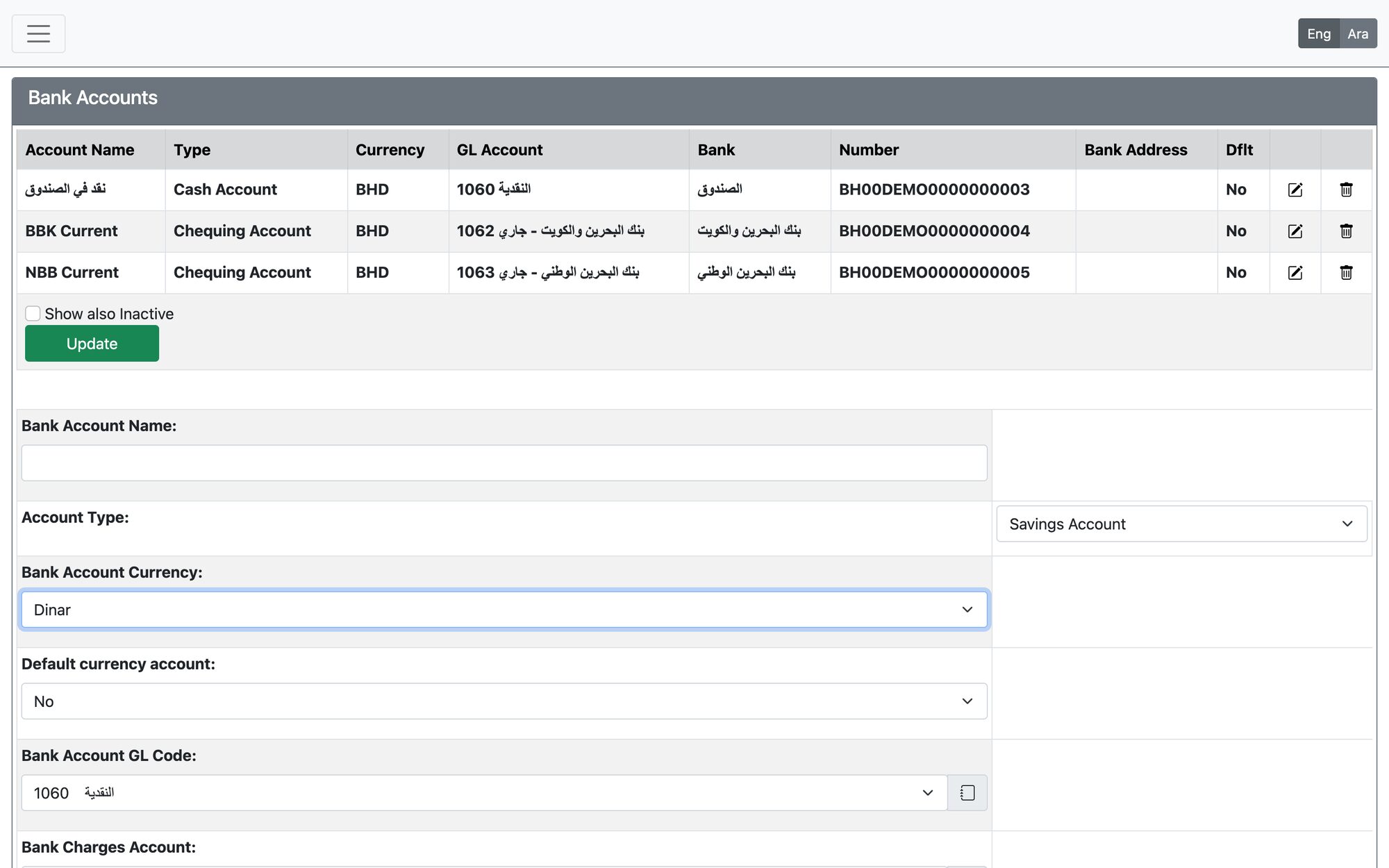
Bank Accounts
Open Bank Accounts. Enter the Bank Account Name, Account Type, currency, the Bank Account GL Code (an empty GL account with no transactions), the Bank Charges Account, bank name, account number and address. A bank account that has transactions cannot be deleted.
Quick Entries
Open Quick Entries to define reusable templates for payments, deposits and journal entries: give it a Description and Usage, choose the type, then add Quick Entry Lines (account, amount, memo, dimension). A quick entry that has lines cannot be deleted.
GL Accounts
Open GL Accounts to maintain the chart of accounts: numeric Account Code, Account Name, Account Group, tags and status. An account used by transactions, a bank account or a quick entry cannot be deleted, and a bank account’s GL account cannot be made inactive.
Closing GL Transactions
Open Closing GL Transactions, set the End date of closing period and press Close Transactions. No new transactions can be entered, and existing ones cannot be edited, up to that date. The date must be in the fiscal year, cannot be earlier than the current closing date, and closed transactions cannot be reopened.
Import Multiple Journal Entries
Open Banking & General Ledger → Maintenance → Import Multiple Jourmal Entries (the menu item is spelled this way). Choose the import type (journal entry, deposit or payment), the bank account for deposits and payments, the field separator and a CSV file with the columns entryid, date, reference, accountcode, dimension1, dimension2, amount, memo, then press Perform Import. Every entry must balance, the date must be in the fiscal year and the reference unused; the first error stops the import and nothing is saved. This screen is in English only.
Re-Print Cheques
Open Banking & General Ledger → Transactions → Re-Print Cheques, search by Cheque Number and Bank Account, and open the transaction to print the cheque again.
Updated: