Reconcile a bank account, inquiries and reports
Match the bank statement, look up transactions and print financial statements.
Reconcile Bank Account
Open Banking & General Ledger → Transactions → Reconcile Bank Account.
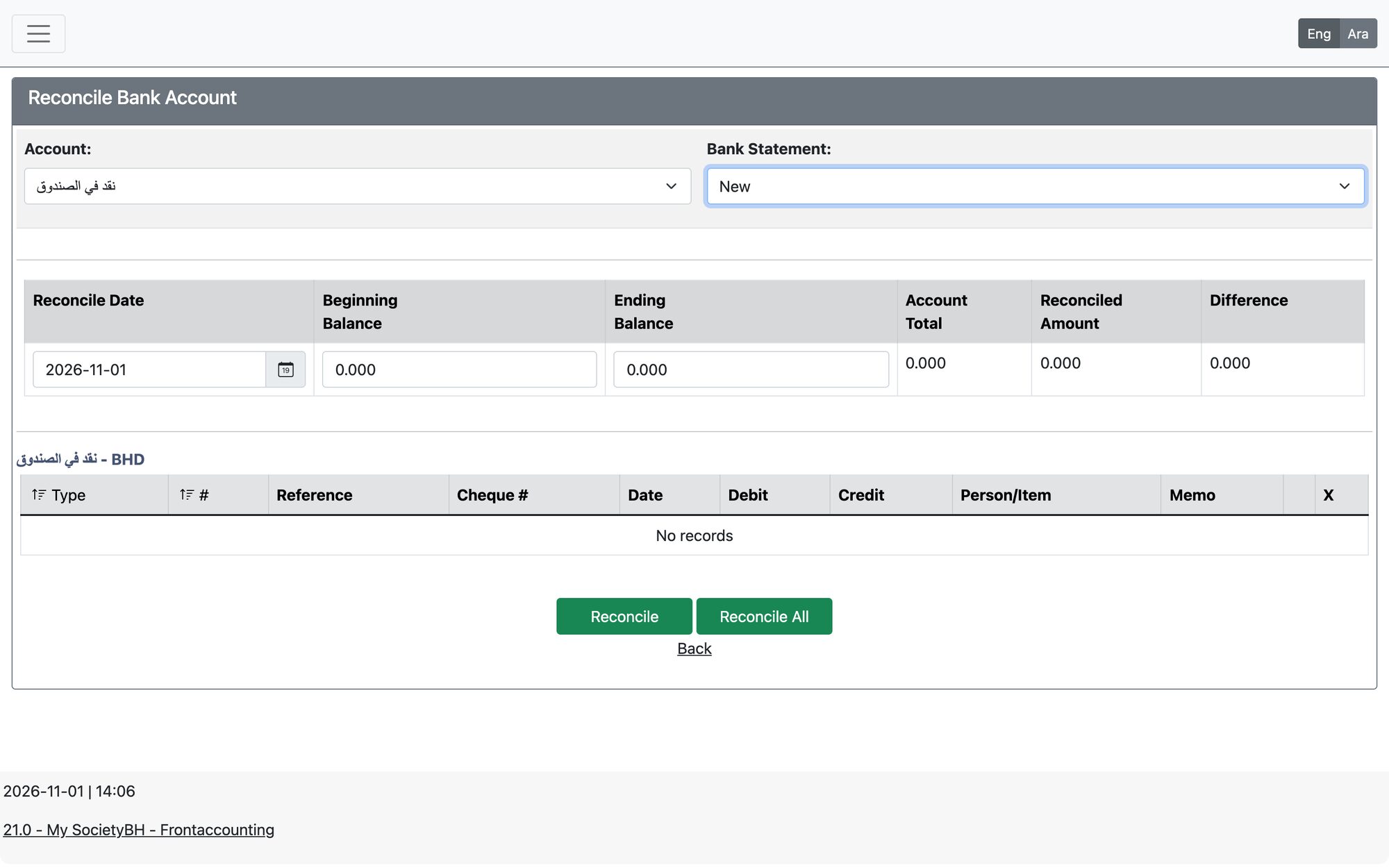
- Choose the Account and the Bank Statement (or New).
- Enter the statement date and the ending balance of the bank statement.
- Tick the transactions that appear on the statement (cheque numbers are shown), or use Reconcile All. Transactions in closed periods are shown with “–”.
- The Difference must be zero. Press Reconcile to save.
Inquiries
Under Banking & General Ledger → Inquiries and Reports:
| Menu item | Use |
|---|---|
| Journal Inquiry | Find journal entries by type, reference, transaction number, cheque number, bank transfer ID, memo, counterparty, dates and user |
| GL Inquiry | Transactions of one GL account in a period |
| Bank Account Inquiry | The bank statement of an account with opening and ending balance; filter by cheque number or bank transfer ID |
| Trial Balance | Debit and credit balances of all accounts |
| Balance Sheet Drilldown | Balance sheet with drill-down to transactions |
| Profit and Loss Drilldown | Income and expenses with drill-down to transactions |
| Banking Reports | Printable bank statement and bank statement with reconcile |
| General Ledger Reports | Printable chart of accounts, GL statements and financial statements, exportable to PDF or Excel |
Updated: