Zakat offline payment
Record a Zakat payment received at the society.
Open Donation → Donations → Zakat Offline Payment (shown only when the online payment system is enabled for the society).
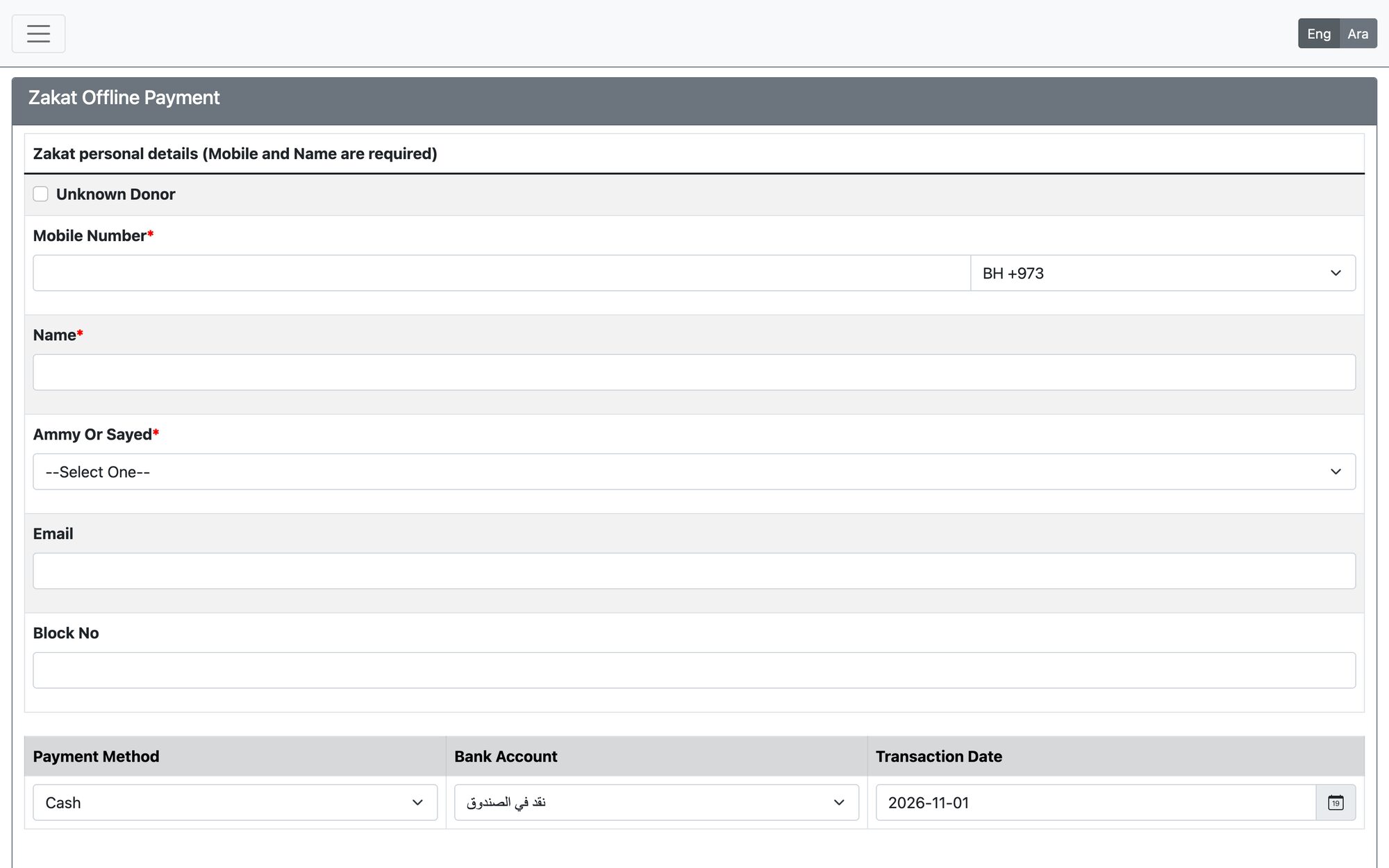
- Fill the personal details. Mobile Number (exactly 8 digits) and Name are required; tick Unknown Donor to skip the donor details. Choose Ammy Or Sayed and the Donor Faqeeh, and optionally email and block.
- Under Zakat details choose the Zakat Type. For a fixed type, the Amount per person comes from the Zakat settings; for the “other” type enter a Zakat Name and the amount per person yourself.
- Enter the Number of persons and, optionally, a Sadaqa amount. The total (plus bank fees where the payment method has them) is calculated for you.
- Choose the payment method and bank account, then press Pay Zakat.
The date must be valid and inside the fiscal year. The page is unavailable if the system is currently disabled for Zakat.
Updated: