Donation settings, search, posting and reports
Set up donation types and posting rights, find donations, post them to the ledger and print reports.
Donations Settings
Open Donation → Configuration → Donations Settings. It has two tabs.
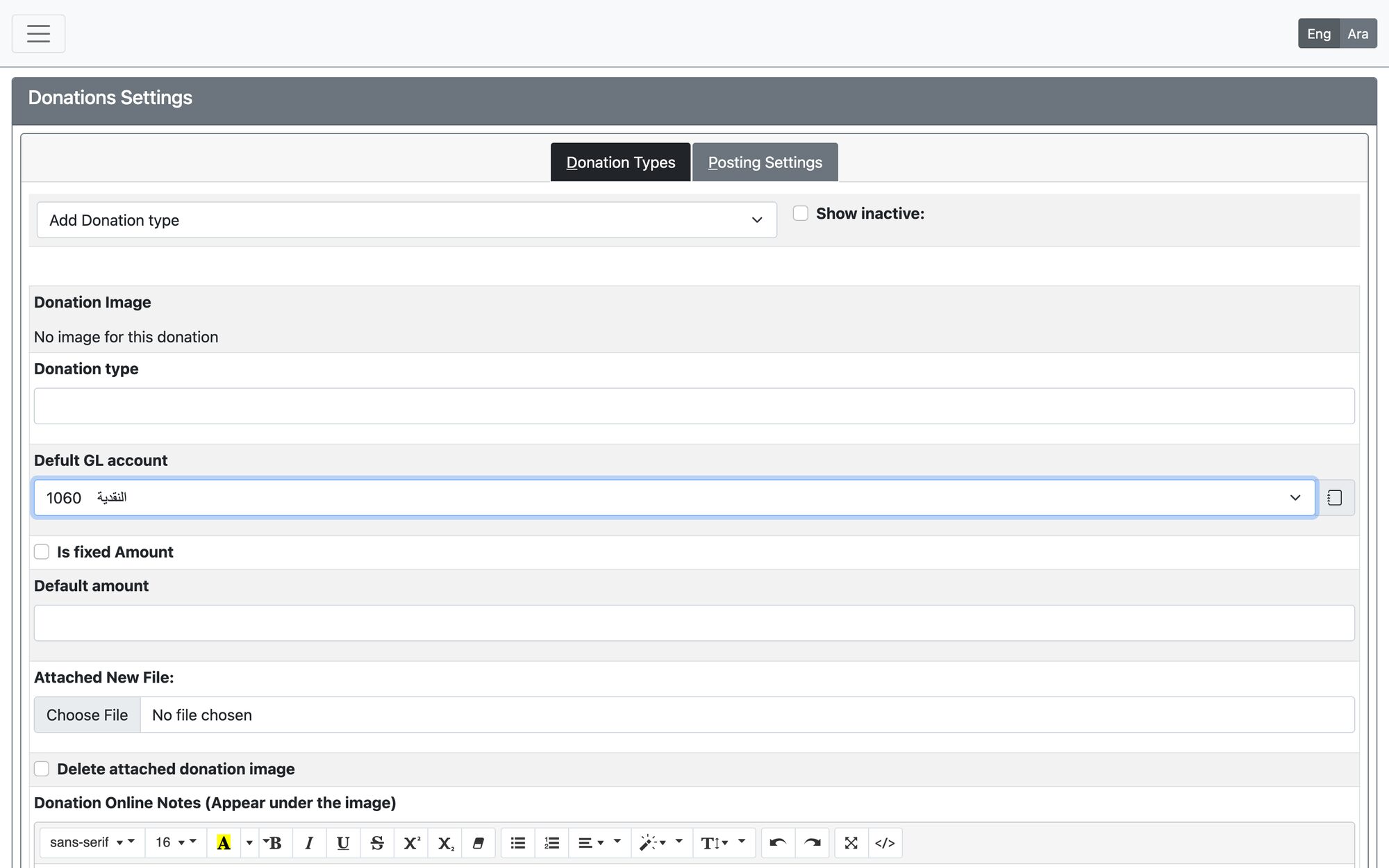
Donation Types
Choose a type or add a new one: Donation type name, Defult GL account (where the donation is posted), Is fixed Amount with its default amount, an image and online notes for the online donation page, and the status. Press Insert or Update donation. A fixed type must have a default amount.
Posting Settings
Choose the users that can post directly to GL and press Update Posting List.
Donation Search Engine
Open Donation → Inquiries and Reports → Donation Search Engine. Filter by donor details, donation ID, receipt number, amount, cheque number, type, payment method, bank account, creator, donation and posted dates, posting status, active/voided, gateway details and subscription data, then press Search.
- Results show donor, type, date, amount, bank account, payment method, posting details and the receipt. Export them with PDF Report or Excell Report.
- The Post to GL and Void Donation columns appear only for users who have those permissions. They can tick donations and press Post selected, or press Post All Unposted (200 Max). Donations already posted or voided are skipped.
- Void Donation opens an action table: set the Voiding Date (inside an open fiscal year), write a memo and press Proceed. This cannot be undone.
Donation Reports
Open Donation → Inquiries and Reports → Donation Reports: Donation Transactions, Donors List, Donations Types Totals Report, Donors Outstanding Balances, Donations total per donor, All Donars Subscription Report and Zakat Transactions.
Updated: