Manage step and decision names
Add, rename or delete the step names and decision names used in workflows.
Open Workflow → Workflow Configuration → Workflow Settings. The names you create here are the ones offered in the lists of the Forms Workflow screen. Names belong to a form type.
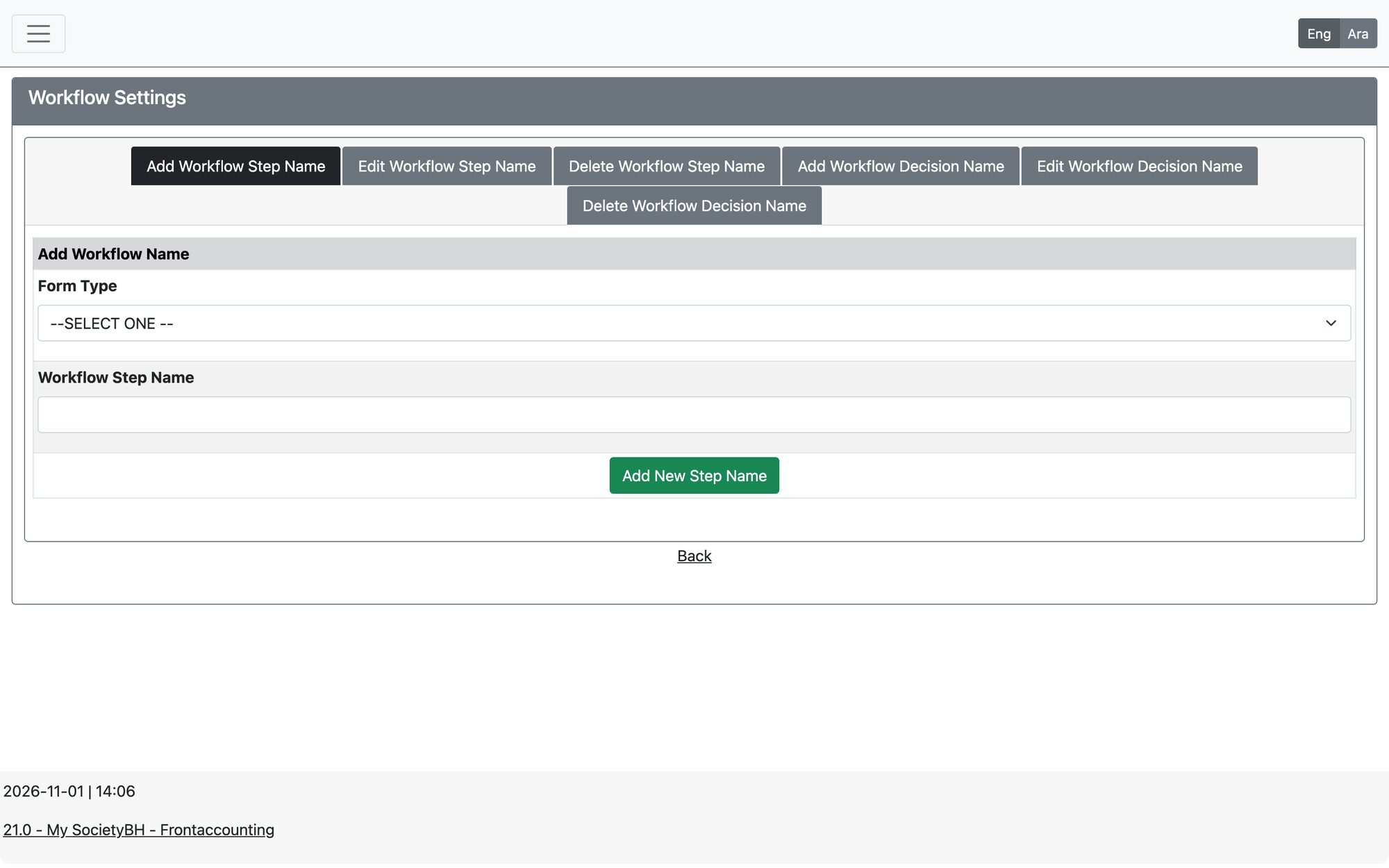
Tabs
| Tab | How to use it |
|---|---|
| Add Workflow Step Name | Choose the Form Type, type the Workflow Step Name and press Add New Step Name. |
| Edit Workflow Step Name | Choose the Form Type, choose the existing name, type the new name and press Edit Step Name. |
| Delete Workflow Step Name | Choose the Form Type and the name, then press Delete Step Name. |
| Add Workflow Decision Name | Choose the Form Type, type the Workflow Decision Name and press Add New Decision Name. |
| Edit Workflow Decision Name | Choose the existing decision name, type the new name and press Edit Decision Name. |
| Delete Workflow Decision Name | Choose the decision name and press Delete Decision Name. |
A name that is already used in a workflow cannot be deleted. Renaming a name changes it everywhere it is used.
Updated: