Display setup, fiscal years and system & GL setup
Personal display options, the accounting years, and the default accounts the system posts to.
Found under Setup → Company Setup.
Display Setup
Open Setup → Company Setup → Display Setup. These options apply to your own account: prices and quantities decimal places, date format and separators, thousand and decimal separators, language, theme, start-up tab, query page size, the default report destination and orientation, and whether reports open in a popup. Press Update.
Fiscal Years
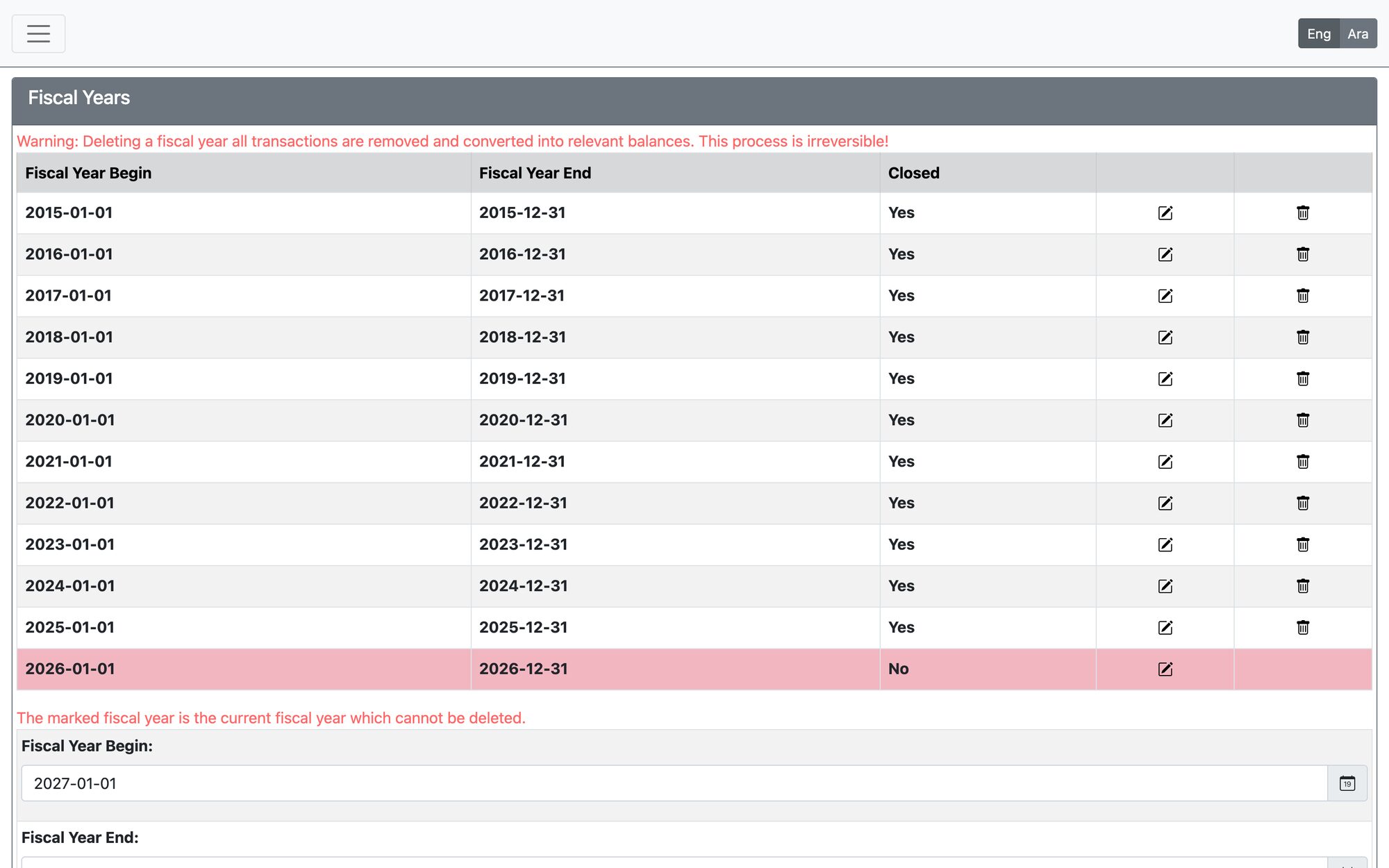
Open Setup → Company Setup → Fiscal Years. Each fiscal year has a begin date, an end date and a closed flag.
- Add the next year with its begin and end dates; the begin date must be before the end date.
- Transactions can only be dated inside an open fiscal year — otherwise the system says the date is not in the fiscal year.
- A year can be closed only when all earlier years are closed.
- The current fiscal year cannot be deleted, and a year can be deleted only if it is closed and has no earlier years.
System and General GL Setup
Open Setup → Company Setup → System and General GL Setup. This sets the default accounts the system uses when it posts entries — for example retained earnings, profit/loss year, bank charges, receivable and payable — together with accounting defaults. Change these only with your accountant, because they affect every future posting.
Changing a default account does not alter transactions already posted.
Updated: