Search students and education reports
Find students, submit applications for several students, and print education reports.
Search Engine
Open Education → Inquiries and Reports → Search Engine. Filter by student and responsible CPR, name, student ID, mobile, sex, health and marital status, family type, orphans, school or university, education path and level, course and year, and house address.
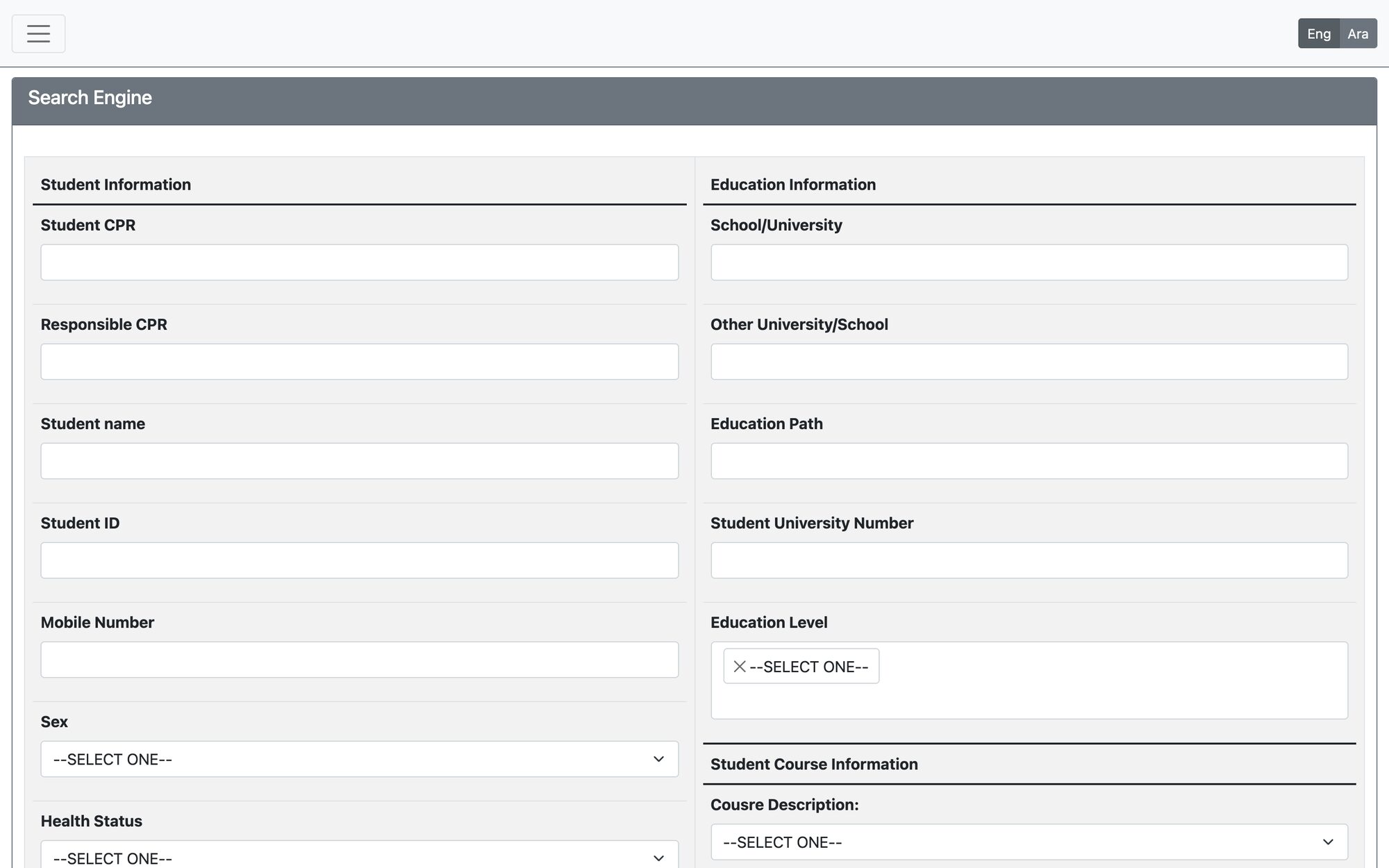
After searching, choose an Action: Submit Application, Export to PDF or Export to Excel.
Submit applications for many students
- Choose Submit Application and tick the students.
- Choose the Application Type and the Aid calculation method: fixed amount for all, amount per family member, or different amount for each family (and, when available, amount per matched dependents only).
- Enter the Suggested Amount and press Submit applications.
- A status table lists every student with the new application ID, or the reason it was not created (for example an existing Active or In-Progress application).
Education reports
Open Education → Inquiries and Reports → Education Reports. Reports include:
- Application statuses report and education general statistics
- Students list, comprehensive student report and supported students
- Graduate students report and student courses transcript
- Students paid applications and university payments report
- Families income/commitment statement and search result report
- Individual & education aid pre-payment (applications ready for payment)
Updated: